Snappy
Screenshots, annotations, and a persistent shelf. A friendly companion for your Mac.
Snappy is a native Mac app that makes capturing, marking up, and sharing screenshots feel effortless — with text recognition and an MCP server for AI workflows built in.
Native Mac app
Private by design
OCR built in
Works with AI tools via MCP
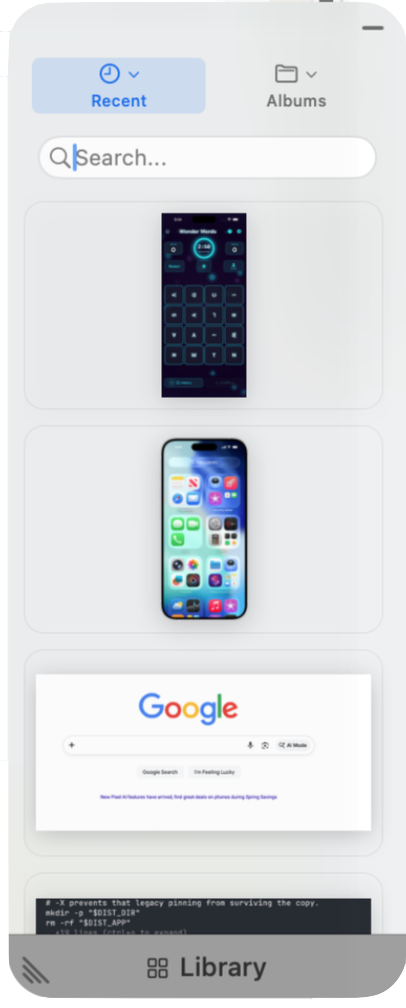
A shelf that stays close
Recent captures dock at the edge of your screen — always a glance away.
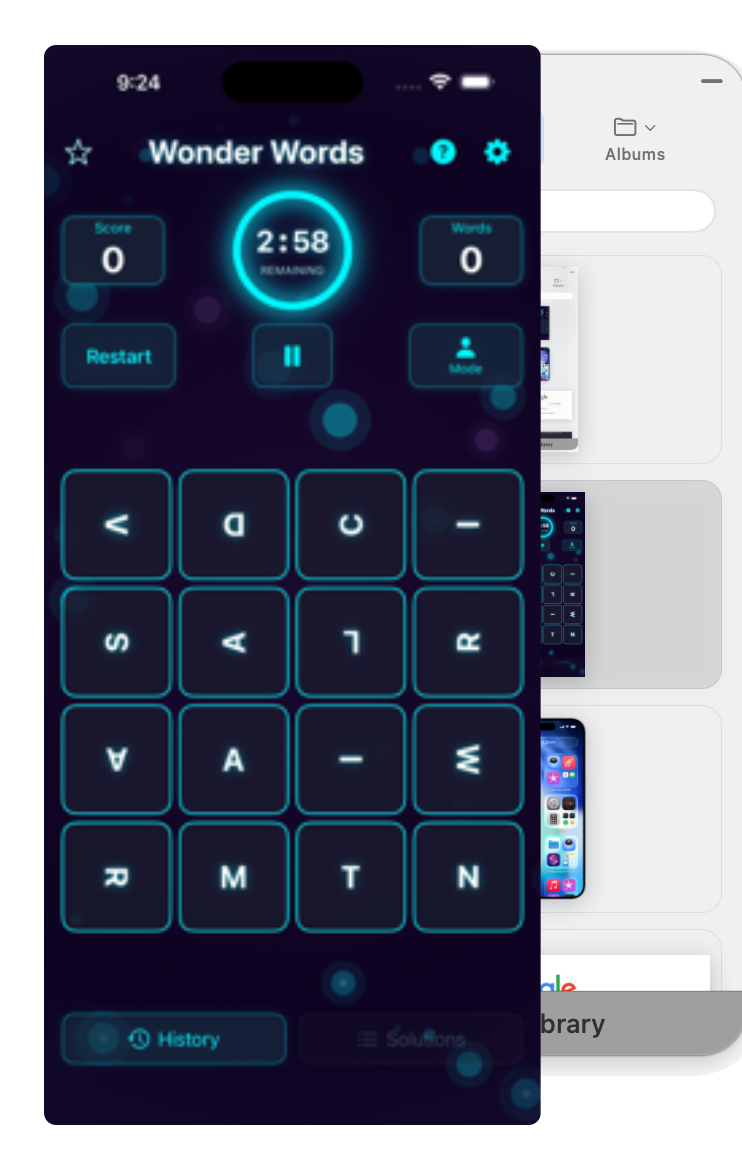
Peek before you grab
Hover a thumbnail and a full-size preview pops out. Grab the right one, every time.
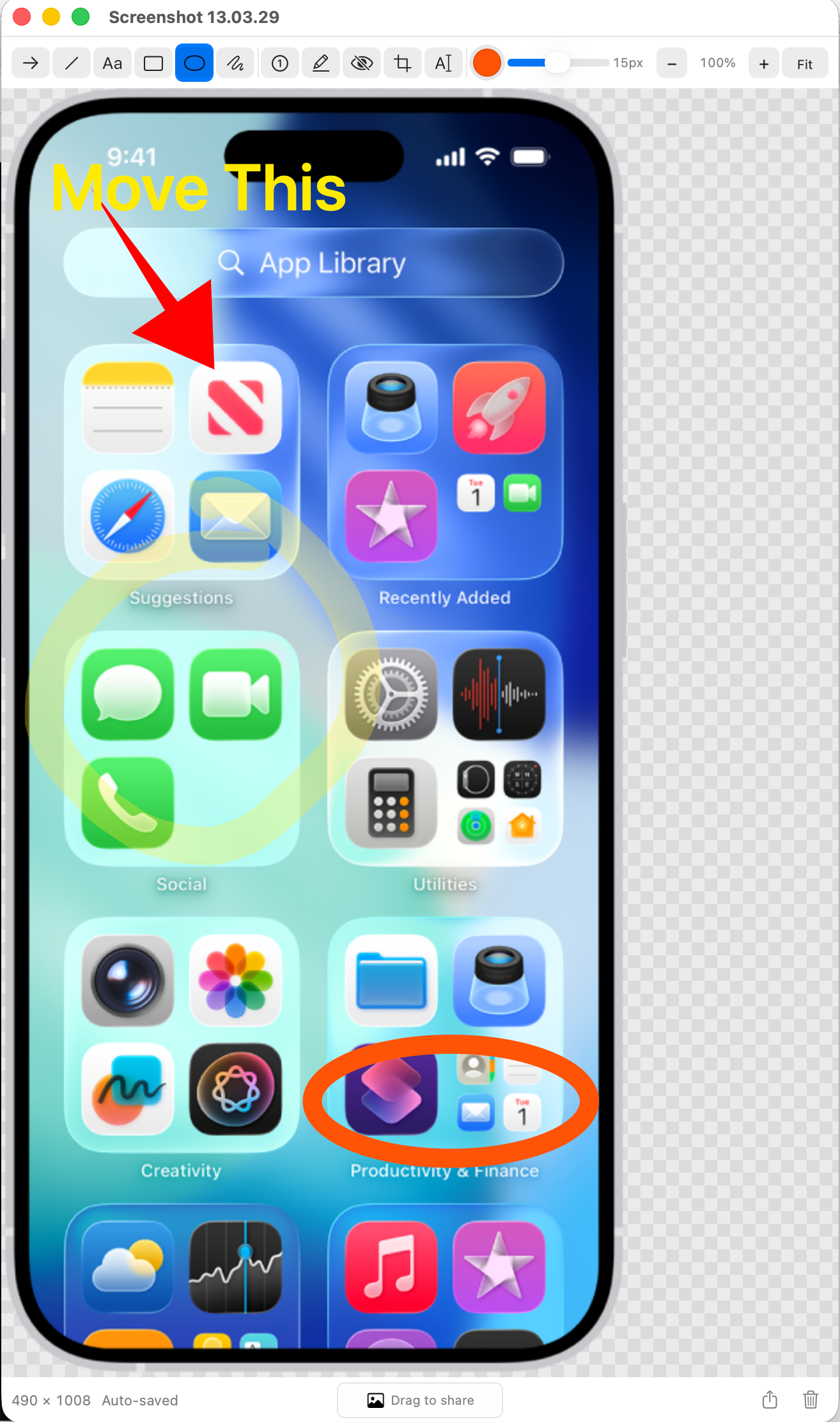
A proper annotator
Arrows, shapes, text, numbered steps, and redaction — all one keystroke away.
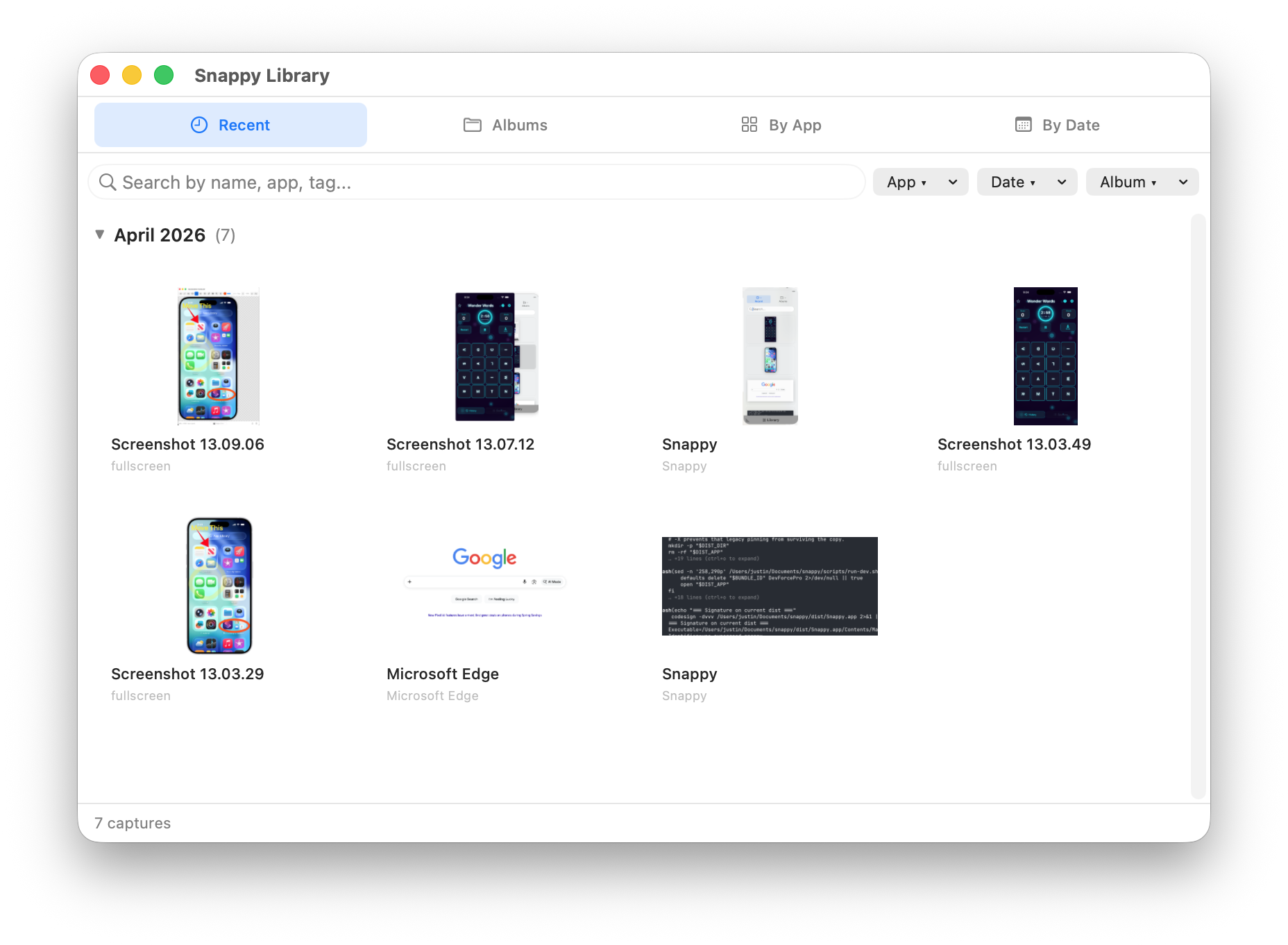
Findable forever
Browse by date, app, or album. Search by filename, tag, or the text inside each capture.
Everything you want in a screenshot app
And a few things you didn't know you wanted.
Capture anything
Full screen, one window, or a pixel-perfect region. Multi-monitor aware.
Rich annotations
Arrows, shapes, text, numbered steps, blur — keeping up with your thinking.
Persistent shelf
Recent captures float at the edge of your screen. Always a glance away.
Drag in, drag out
Drop images onto the shelf to stash them, or drag one straight into any app.
Text recognition
Copy text from any screenshot. Snappy reads what's on the screen so you don't have to retype it.
Smart collections
Captures auto-group by project, app, or window. Find what you shot last Tuesday.
MCP server
Programmatic access from Claude Code and other AI tools. Let your assistant capture and reference your screen.

Snappy is here
Available now on the Mac App Store.
The friendly crab is ready to help with your screenshots.
Download on the Mac App Store